
Wednesday, July 19, 2006

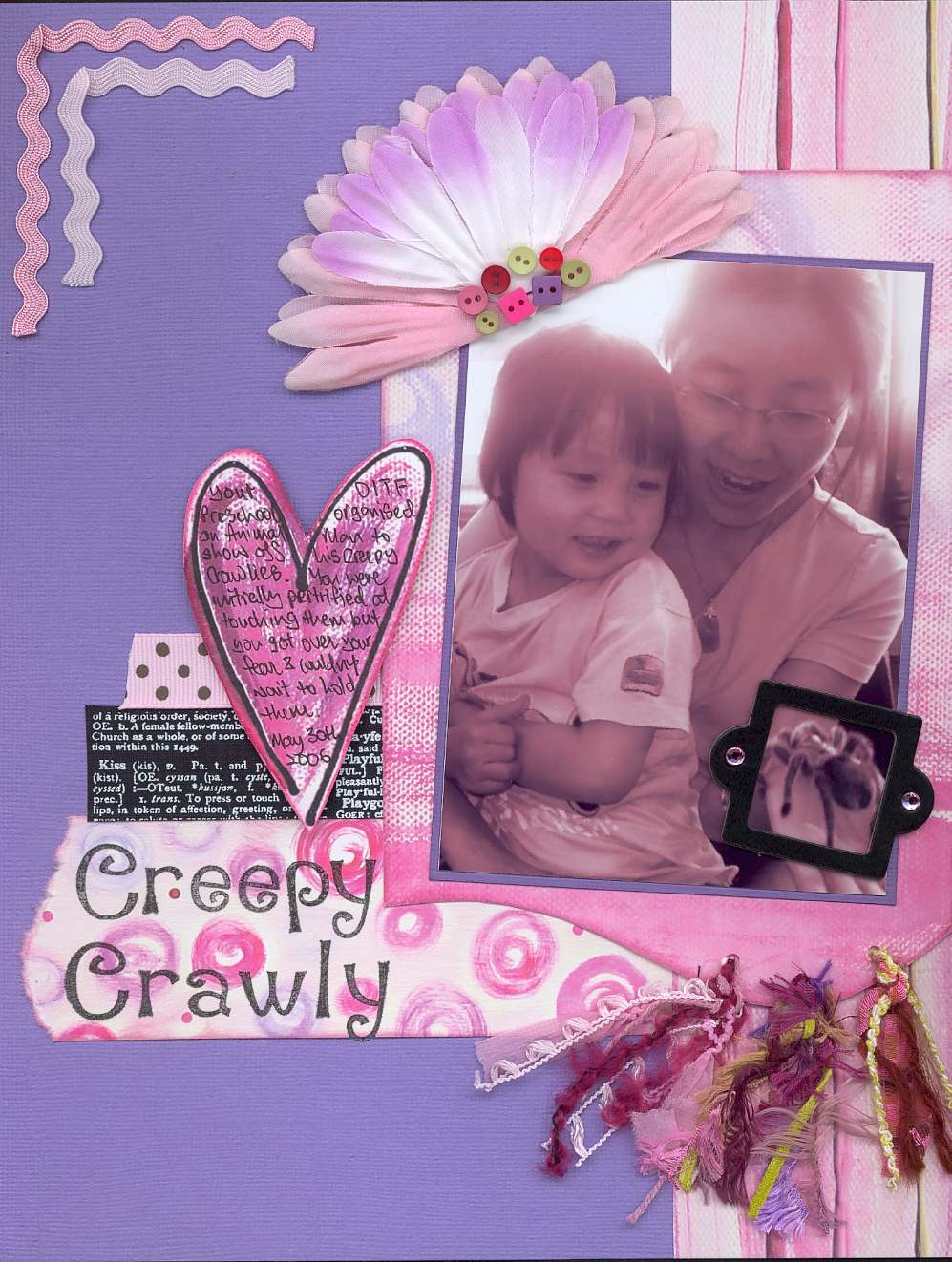
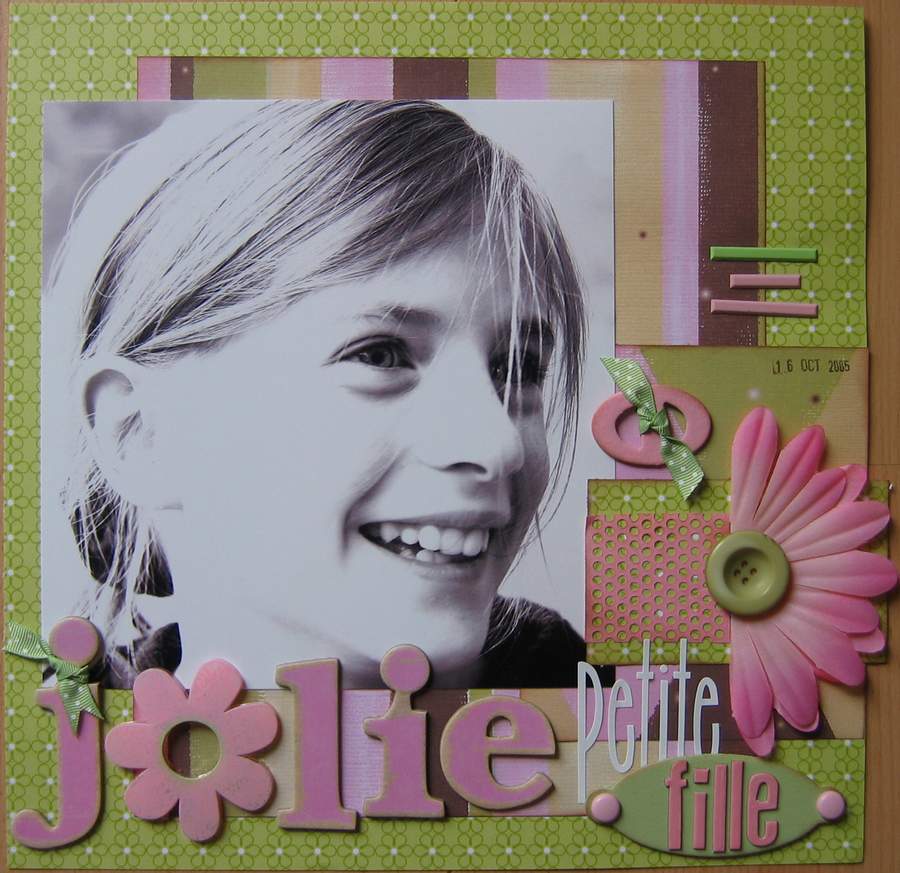
An Imperfect Photo ?

You can touch up a photo that appears imperfect thanks to photo imaging software. For this photo, I increased the luminosity in order to brighten the dark image, I centered it and then changed it into a black and white image.


Tuesday, July 18, 2006

85x11" Sketch Inspiration!

It’s time for another 8.5x11” sketch and I’ve come up with this simple design. I took inspiration from Bazzill scalloped edged cardstock. I’ve plan it for a photo that is smaller than 4x6”.

Here's my interpretation of the sketch. Feel free to replace the embellishment with what’s in your stash!

Materials used:

Paper Heart Studio Expresso collection
Fancy Pants chipboard scroll and bracket
Ric rac, heart charm & MM safety pin
Heidi Swapp Centre of Attention chipboard alphabet
Royal & Langnickel perforated rubons

Colorbox chalk inks
Zig black pen & Signo ball white pen for journaling

Sunday, July 16, 2006

Another August Hybrid Collection Sneak Peek


The August Hybrid collection has a lot of sass too!

Arctic Frog Deal or No Deal Game

Congratulations to design team members Lynne Wilson and Kathleen Taylor for being two of the top 10 selectees for the Arctic Frog Deal or No Deal design contest/game!!!! Check it all out here: http://alannahjurgensmeyer.typepad.com/ Good luck girls!

August Hybrid Sneak Preview

A preview of our exotic August Hybrid Collection...

Time for an update and another peek at August!

Well, aside from the Trilogy orders going out this week with the CORRECT gameboards, all the boxes are out! Whew! What a week!
Let me tell you it is not easy to keep labeling and taping boxes while the carpet crew is trying to lift baby oil out of your carpet! And btw, baby oil does not come out of carpet because it is not water soluble - fyi.
We've also have two new babies this week - our new cousin Lilly Reese was born Monday to cousins Mehgan and Reese, and my dear friend Maegan also gave birth to her son this week! Congratulations everyone, and thanks for making it such a busy week!
This week is going to be even busier as Homegrown heads to Chicago for the CHA show! I'm going along with design team members Lynne Wilson, Audrey Neal, Meera D'Souza and Kathleen Taylor! I can't wait to get started choosing our Fall Collections! Make sure to check the blog over the weekend and next week to see photos of some of our faves from the show.
Okay, so now that the July boxes are out, we can focus on what's in store for August!
I already posted a photo of one of the papers - this is the new Gin-X line "Party On" and it will be featured in our August Trilogy. That one is out in the open, but we're going to hold back SOME of the other August details for just a little while longer. I will tell you though that we have some delish-ous (hint, hint) embellishments planned for the Hybrid and Accessory Pack collections!
Want to know more? Check back later for some photo peeks!

Saturday, July 15, 2006

Digi Tip: Dodge and Burn


Sounds like a great subtitle to the already-subtitled movie Talledega Nights, huh? (and is anyone cracking up at the previews as much as I am? So funny!) Anyway, as much as I'd like to just post funny lines from the movie trailer, I figure y'all are here for something a bit more substantial and more Photoshop-related. Okay then...

One of the fantastic things about creating digital pages, in my opinion, is the amount of endless flexibility that just one kit can offer. Papers can be recolored, grunged up, lightened or darkened, with just the standard tools available in PSE or PSCS. Today we're going to talk about the dodge and burn tools, as these are quick and easy ways to customize your patterned paper. And I'm all about quick and easy these days!

The dodge tool is located on the left side of your toolbar, second from the bottom. It looks like a black lollipop leaning to the left (you know, there's probably a more "official" term for what that tool actually is, but I don't know it -- and to be honest, not knowing doesn't keep me from being able to use that tool). The dodge tool lightens the color of your paper or elements. To use it, simply click on the tool, select your brush size from the toolbar at the top, and brush it across your paper. I suggest using a large brush if you are planning on lightening large portions of your paper.

The burn tool is located to the right of the dodge tool and looks like a hand picking something up (what my kids' pediatrician referred to as a pincer grasp when the girls were babies). This tool works in the same manner as the dodge tool but it darkens your paper.

The sheet of paper above shows you what these two tools look like in action. The top half of the paper is the original pattern and color. The lighter portion shows what the paper looks like after the dodge tool has been used. The very bottom portion shows the burn tool effect. (Paper from Jan Crowley's Havana kit, a FREE designer sample at www.thedigichick.com).

Friday, July 14, 2006

Make Your Titles "YOU"-nique!!

Layering embellishments on your titles is a great way to make your titles very unique! It's a great way to put your personal style into your layout, and also gives you a reason to dig deeper into that hoard of scrapbooking supplies!
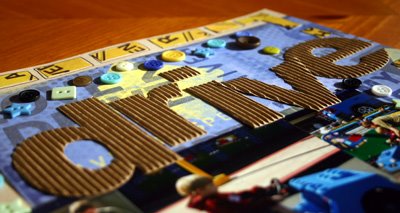
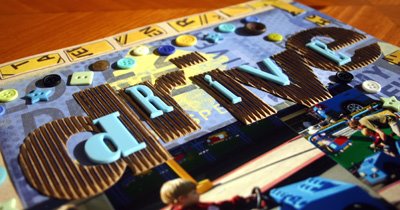
Here is a photo of a recent title for a layout I did of my son, Jake, at Legoland:


The Rusty Pickle Corrugated letters were pretty fab on their own, but I decided to jazz it up a bit by using MORE of my favorite products:


I added Heidi Swapp plastic letters from deep within my stash, and one of my favorite products, acrylic paint. The acrylic paint made the corrugated material really stand out, and in general this title just really screams, "Michele did this!".


Make YOUR titles POP!! Layer it up with some of your favorite products!

Speaking of games...

It is funny that Aimee chose games as her journaling topic de jour - and we didn't even plan it! As I type this our talented designers are working away with the gameboards included in their July Trilogy kits! I can't wait to see what you all do with them!
Shipping has begun for the July kits! We have been steadily packing since last week and started the post office jaunts this week! A slight emergency involving my two-year-old son Noah, a bottle of baby oil and a bottle of baby body wash, an emergency visit from the carpet people and several rolls of paper towels has slowed us down a bit tdoay though, so shipping is going to be off by a day unfortunately. I have to say of all the scenarios I ever thought would cause a delay, this was not even a consideration!
So are you watching for August sneak peeks? Well...we had three more boxes arrive today, so be watching this weekend for tons of sneaks!!! We are SO excited about our August kits and know you will be too!
One last note...if you haven't purchased your July Trilogy kit yet, do it now before they are gone again!
Happy Weekend everyone!
Stephanie

Jumpstart your Journaling

Journaling Idea - Games

Do your kids like to play games? Mine LOVE 'em. Last summer especially they loved to play this game called "Pop Up Pirate." The point of this game was to NOT have the pirate pop up on your turn, but my kids thought it was absolutely hilarious when the pirate popped up so they would spend hours taking turns trying to make that happen.
How do your kids play games? I'm sure there are some memorable stories to be told!

Here are a few journaling prompts to get you started:
What games do they like to play?
What was the first? How old were they when they started?
How has their game playing changed as they get older?
Who do they play with?
How do they react to winning? losing?
Does your family have any game-playing traditions?

Wednesday, July 12, 2006

Cut it Out

If you’re like me and are always looking for a new way to “jazz” up your titles, then here is a fun tip for you. Whether you’re using rubber, acrylic or foam stamps with ink or paint this is a fun technique that you’re sure to use over and over again. Instead of just stamping letters directly on your layout, why not stamp on a piece of cardstock, cut out each letter leaving a cardstock outline and then stick them onto your layout, card, etc. This is a fun way to add some extra color to your titles.

Tuesday, July 11, 2006

Trilogy Sneak....

Okay so there is no guessing involved here -
this is a 100% divulgence of information!
Coming in August...Ready to play some video games????

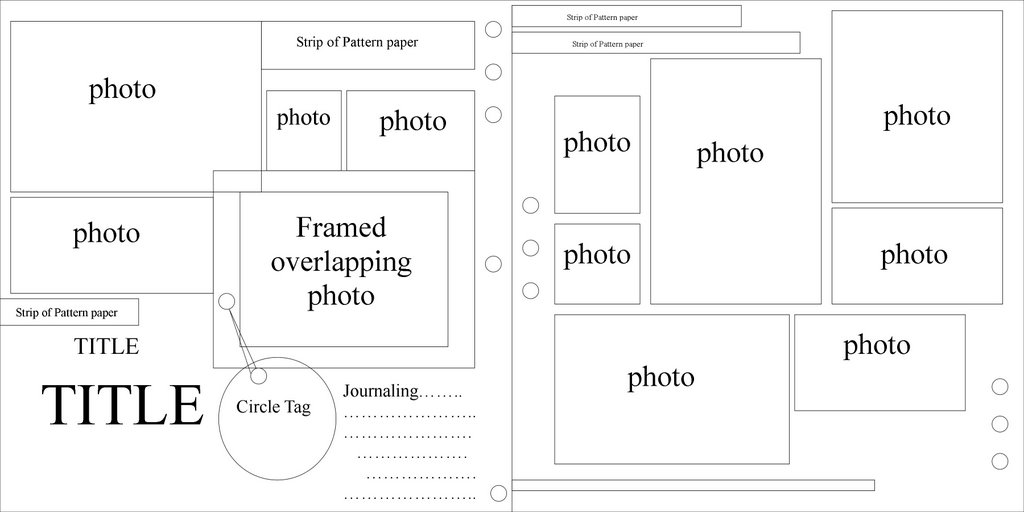
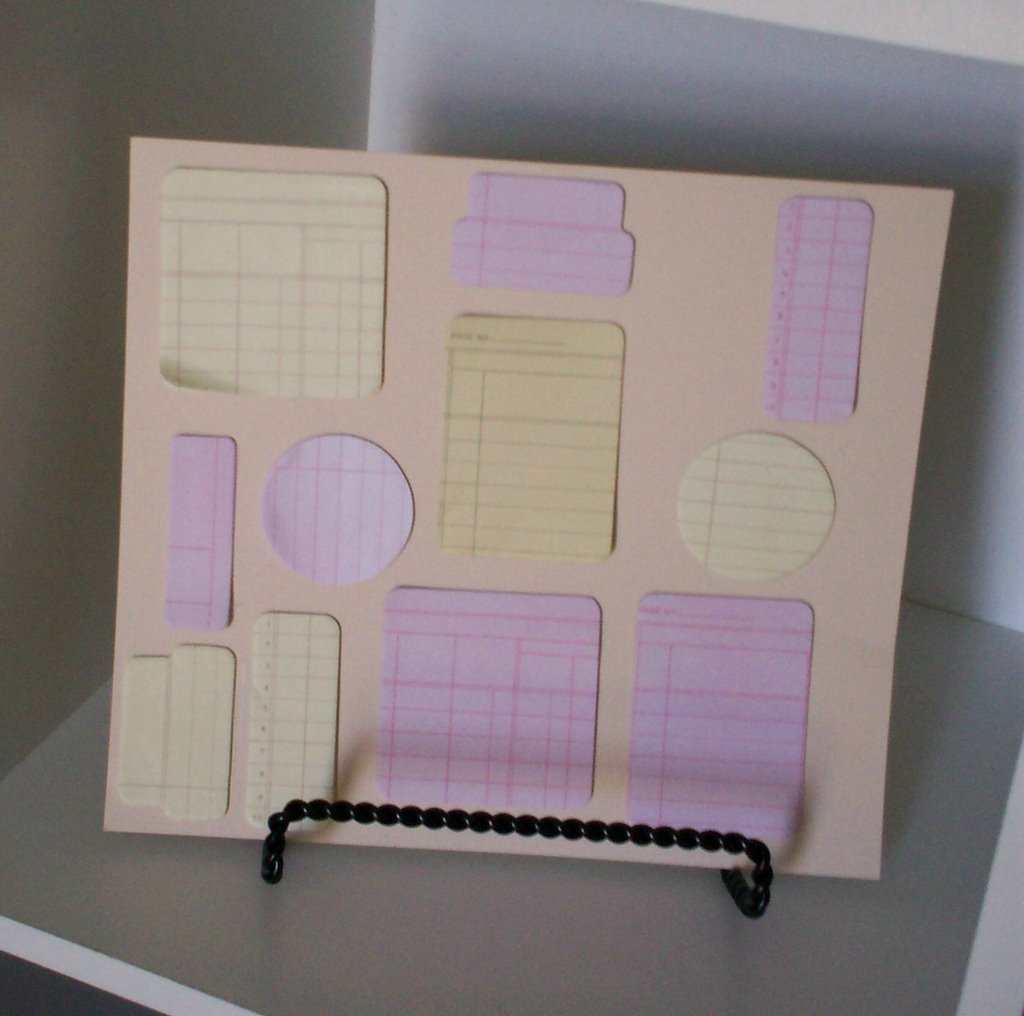
Tuesday's 12x12 Sketch


Here is a 12x12 Sketch I did for multiple photos. Yes, it is a 2 pager, and I realize there are a lot of people out there that do not do 2 page layouts. Please do not get discouraged. The sketch is strong enough that it can be used as a one page layout. Just take out the right page.


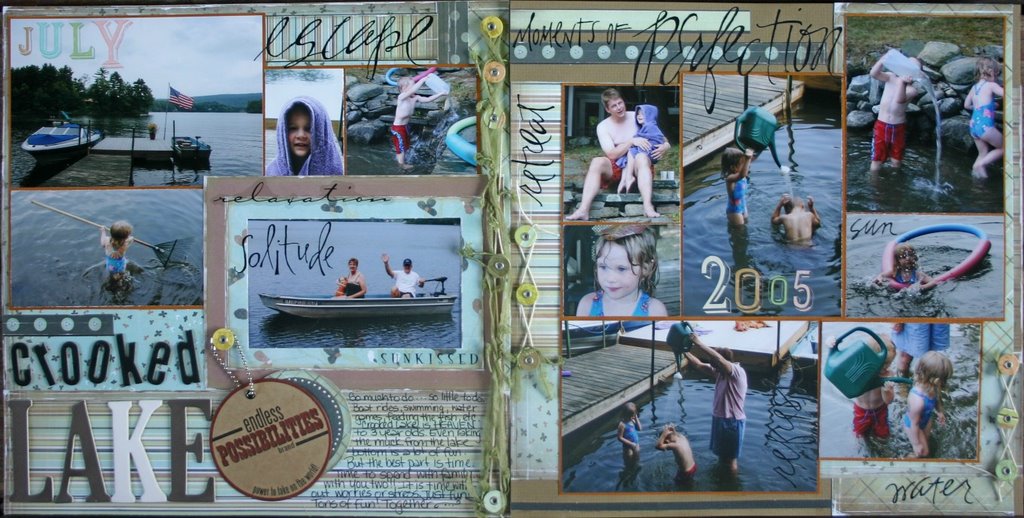
And here is my take on the sketch. Every year we go to Crooked Lake. And I take tons of pictures. Doing this type of sketch is great for getting those multiple photos on one layout instead of doing multiple pages. This sketch can be used for everything!

So, you do not have enough photos for this sketch? Well, that is the best part about sketches. It can be changed. Use patterned paper or embellishments where a photo should be. It is all up to you and your imagination. The possibilities are endless!

Products Used:

Crate paper SeaWeed Collection
Heidi Swapp Chipboard Alphabet
Pressed Petals Chip Chatter Alphabets
Li'l Davis Designs Chip Art Tags
Making Memories Rub-ons
K&Company Alphabet Rubons
Fiber
K&Company String Clasps

-Kathleen Taylor

Monday, July 10, 2006

August Inspiration

It's time to start our August sneeks...
We will begin by telling you a little about the inspiration behind our collections for August.
The Hybrid collection of offerings was inspired by the imminent changing of the seasons...
As Summer prepares to turn slowly into Fall, we desperately cling to the long, hot days and wish for a trip to exotic lands. We lay wrapped in the warm night and dream of walking barefoot on sandy beaches, of exploring a new culture, of packing a bag and venturing off toward the horizon in search of...
Whether your Summer entradas took you on passages to foreign lands, or if you are a gypsy only in your dreams, our August Hybrid Collection will invite the passion, boldness, and fire you've been waiting to experience.
Get ready to let it take you there...

Saturday, July 08, 2006

Digi Tip: Selective Color


Selective color is a really cool, but super simple, effect that anyone can achieve with Photoshop Elements or Photoshop Creative Suite. (With that said, I'm sure there are other programs that can achieve the same effect, but I'm not sure how those work. So for purposes of our instruction here, I'll be using Photoshop.) I used selective color in the layout above to highlight the American flag my daughter was waving. (Glory Days kit and accents by Holly McCaig, available at Plain Digital Wrapper).

To create an effect like the one above, you'll need to open your photo in Photoshop. Make a duplicate layer of it, because you NEVER want to make changes to an original photo. Once you have a copy, go ahead and close the original layer.

With the copy layer active, click on that layer in your layers palette and choose duplicate layer. Under Image, choose remove color. This will change your top layer to a grayscale image. You can then adjust the contrast and brightness to your liking. Some people also use convert to grayscale or other set conversions for this step -- use whatever you feel comfortable doing.

Make sure the black and white copy is on top and active. Zoom in several times on the area you'll be working in, and then choose your eraser tool from your shortcuts. You can adjust the pixel size at the top until you get a size that's comfortable to work with. Now, simply erase any sections of the black and white photo that you want to remain in color. This is essentially "erasing" that portion of your layer, so the layer below is now showing through.

When you are finished, flatten your layers and save your image under a new file name.

Some more views of the Trilogy!


They ship next week, and subs are now available! Did you get yours yet???

Thursday, July 06, 2006

How about a little Unique embellishment??

Have you ever wondered what in the world you could do with those raw chipboard letters and shapes? Or any chipboard for that matter? Well this has to be my favorite thing to do right now...

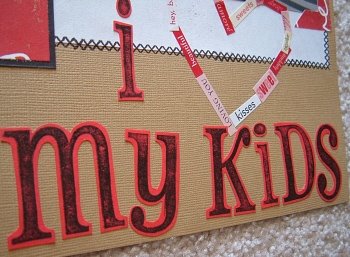
Here's an example of a chipboard title that I did just recently. As you can see, I like to spice them up a bit by doodling, inking, chalking, writing on them, etc. Let's face it - the possibilities are endless!
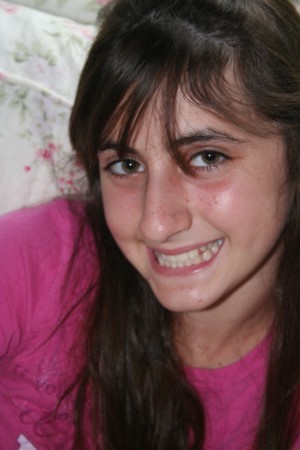
Just use a little of that creative juice and spruce them up. Dots, dashes, swirlies, whatever! Go for it!!
Ok now let's see some awesome embellishing!
Make sure you upload them to the gallery!

Wednesday, July 05, 2006

Wendy's Photo Challenge...Control Your Flash

Let’s face it...your flash is an important piece of equipment. It is needed for many types of photos and in certain photographic situations, but many times it is the evil culprit, responsible for so many photo disasters. If you learn to take control of your cameras flash you will be able to alter the outcome and mood of your photos. Look at the two photos I have included. I took both of them at the same time and in the same place. If I let my camera have control it automatically sets the flash off and I have a harsher looking photo. By turning the flash off I have a beautiful softer looking photo that conveys more emotion. To compensate for the lack of interior light, find a bright spot in your house. I took these right by a window. Walk around your house and take notice of the quality of natural light in each room. You will be surprised at how different each room is depending on which direction the windows face and what time of day it is.


Consult your cameras manual to learn how to turn off your automatic flash. If using a film camera it might be a good idea to increase the speed of your film and steady yourself against a wall or use a tri-pod.

If you thought it impossible to control your flash with a point-and-shoot camera, think again! Load your camera with 800 speed film and use the zoom at it’s widest angle to allow more light in. Steady yourself so you have as little shake as possible.

If you are using a 35 mm camera you will have a better chance to get good photos without a flash with a faster lens. Use 400 speed film and avoid movement or use a tri-pod.

Challenge: turn off your flash and take some photos!!! Make sure you take at least one with flash so you can see the incredible difference!

Tuesday, July 04, 2006

ask and you shall receive...

Well, sort of! The Trilogy was a HUGE hit and we have been inundated with emails asking to reserve the August kit or begin a subscription. Since we are waiting until September to open subscriptions, we are going to do something a bit unprecidented here at Homegrown and offer a chance to purchase the August kit a bit early.
There will be a special reservation button at the bottom of the Current Kits page that will allow you to reserve the kit now. We will have this option available now through July 22 when we will reveal the kit and will offer it for purchase to anyone who has not reserved a kit.
Also, we will begin teasing the Trilogy on Monday of next week (July 10) and will begin teasing the Hybrid July 17.
We hope this option works for everyone! Thanks for making the Trilogy a HUGE HIT everyone!

Monday, July 03, 2006

I knew it!

I knew somewhere, somehow, someone had used a chenille stem on a page! :)

Audrey's Sketch Inspiration (8.5x11)

For those who scrap in 8.5x11", here's a sketch that I've come up with:


And my take on the sketch:


Check out the July Hybrid and Trilogy galleries to see what else the Design Team does with these Heidi Swapp florals! http://www.homegrownscrapbooks.com/forums/gallery.aspx

Make sure to post your take on the sketch in the gallery as well!

a little random inspiration challenge for everyone...

So I was just sitting here looking at a chenille stem (or as us old people know them, pipe cleaners), thinking "I know someone has to have used this on a page SOMEWHERE." But I can't find a single one. So here is the challenge - just for fun! Use a chenille stem somewhere on a scrapbook page - think WAY outside the box here! :)
Saturday, July 01, 2006

Kit Photos for July


Here are the photos of the Hybrid and Trilogy kits for July.
Hidden somewhere in the Trilogy photo is a hint to next month's kit...

What you'll see in your Trilogy kit....yummmmmm!


Friday, June 30, 2006

Preview Day 5


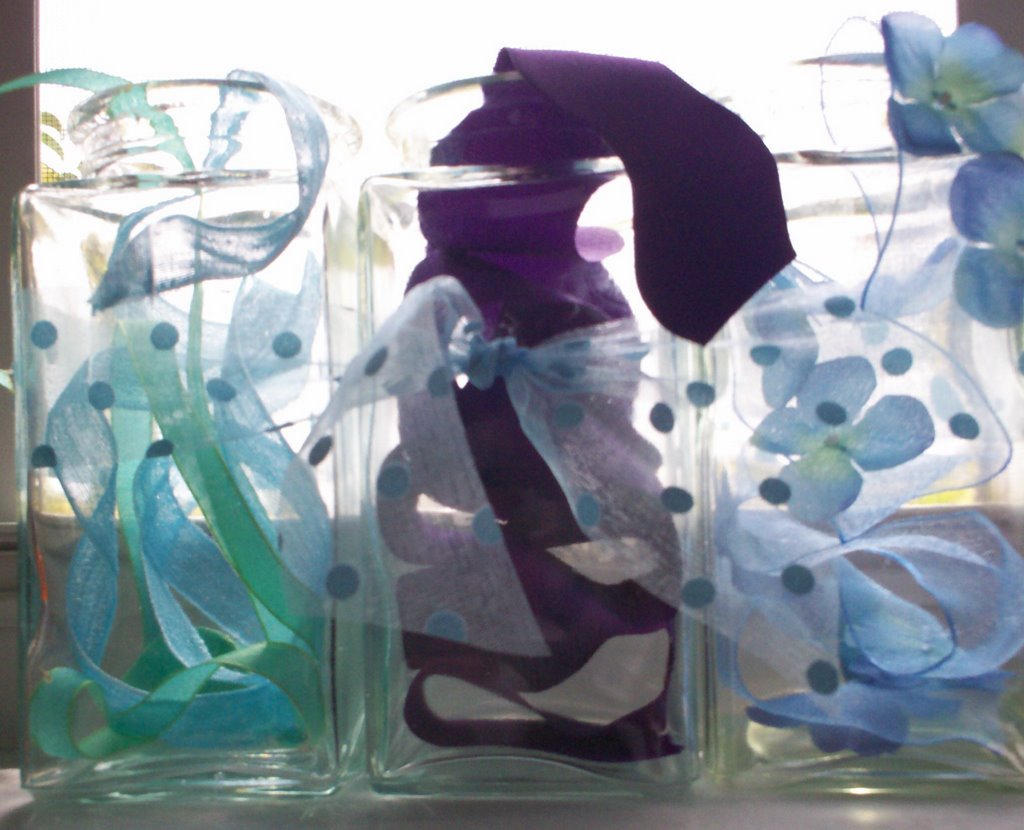
Okay - last preview.... These yummy ribbons can be found in your July Hybrid and Accessory Packs!
Did you see the size of that scrumptious purple ric-rac???? It is a whopping 1.5 inches wide and I can not wait to play with it!
This ric-rac is not your typical finishing touch, but rather is a design element all to itself. I know that once you see it for yourself, ideas will immediately start pouring out - so be prepared!
So that is enough teasing I suppose. The big Hybrid reveal happens tomorrow, as well as the much-anticipated debut of Trilogy! I can't wait and I already know what's in them!
Bryan is taking the boys camping this weekend so it is just us girls, sitting around playing with scrapbooking supplies most likely! See you on the boards! Happy Weekend everyone!

Thursday, June 29, 2006

Be inspired to use those May leftovers!


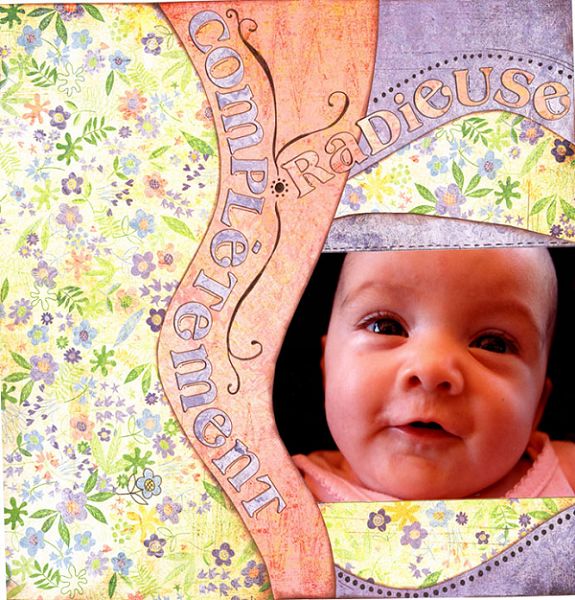
Still have some leftovers from that great May Hybrid kit? Here's a fabulous layout from Marie-Eve at 2peas. Want to see more? Here's her gallery: http://www.twopeasinabucket.com/userprofile.asp?user_id=126532

Another view of Trilogy

Wednesday, June 28, 2006

Introducing Trilogy by Homegrown

It's time to introduce the newest member of the Homegrown Scrapbooks family - the Trilogy! This new kit is a monthly compilation of all the latest and greatest papers and embellishments on the scrapbooking market today.

Each Trilogy Collection will contain three self-contained assortments and a surprise bonus item to keep you scrapping inside your box, and encourage you to push the boundaries every now and again.
Our July kit is reminiscent of the sonnets of Spring while embracing these days of Summer fun! And that's just the paper! You'll also find an abundance of cardstock, ribbons, rub-ons and embellishments to keep those juices flowing!

As if that isn't enough of an offering to temp your creative taste buds, we have assembled an amazing design team to keep you cropping all month long! We will be stimulating your senses and keeping you motivated throughout the month with our daily doses of inspiration on topics like photography, digi scrapbooking, sketches, journaling, stamping, painting and more! Stay tuned to the blog as we will be introducing all the members of our new design team beginning July 1st.

Congratulations to Anita Letts, Wendy Rago, Michele Reed, Pat Da Silva , Katirna Huerta and Kathleen Taylor - our newest additions to the Homegrown Design Team.

The Trilogy is now available for purchase in our shopping system. Stay tuned for the complete list of kit contents coming July 1st!

Preview Day 3


So are you excited yet? Today's preview is a little sparkly and VERY glamorous. If you haven't tried it yet, you're definitely missing out. You will want it in every color once you hold it in your hands...
Curious yet?
Use it on fabric, paper, chipboard or glass. The possibilities are endless! Instant glam in a tube! (Did that give it away?) I've blurred the photo just a bit to make it more challenging...
This month's Hybrid kit is perfect for scrapping both boys and girls - pictures of bugs will sparkle like never before! Keep watching, and we'll prove it!
Oh, and did someone say there was a sneak peek of the Homegrown Trilogy coming today?
Stay tuned to this blog for more information...

Tuesday, June 27, 2006

Preview Day 2

So here it is Day 2 of Preview Week, and we have a little something extra to add to the photo preview for today... Having read the questionnaires that you all filled out and taken into consideration the current trends in scapbooking, we have put together something very special that we will be debuting July 1.
As a result, the July kit will have a single embellishment Accessory Pack offering rather than the original and deluxe versions.We know that you will love what we have planned for you and can't wait to share it! Check back tomorrow for a special Sneak Peek of this fabulous surprise!
Now back to the photo...are you getting any ideas yet? Think cool waters and hot summer fun with good friends!
Just add a little sparkle and shimmer. You're getting warmer...

Monday, June 26, 2006

Preview Day 1

Here's a little taste of what you will find in your July Hybrid kit. It's fun, it's playful, and it's very flirty!

Look closely and you will see several elements of our kit. Are you ready yet?

more summer photos to inspire you


Preview Week is HERE!

That's right! It's time to preview the FABULOUS July kit that we have planned for you!
Beginning today and continuing through June 30, we will be posting a preview photo each day to whet your appetitie and get those creative juices flowing.
First, we thought you might like to know what inspired up when creating your kit...
What better inspiration than SUMMER itself? Splashing in the water, playing in the backyard and being kids again!
That's right! Summer is here and we have the perfect kit to help you record all of those scrap-able summer memories. So dive on in and let these cool creations wash over you...

Sunday, June 18, 2006

the July hint you've all been waiting for...

Okay I'm only going to post a tiny hint about one of the kit items, but Aimee will be going into more detail in the next few days... Your only clue is that it is an "edgy" item...
Want to know more? Tune in daily or subscribe to get email updates to the blog. We are going to be shifting focus from the forums to the blog. We will be posting a schedule of what you can expect, and will be updating the content daily.
This week we will be posting our calendar for the remainder of June and July, information about our new design team members, and another hint about our July kit that is going to be flirty and fabulous!
All of the June kits went out last week, so if yours hasn't arrived yet, start stalking now!!!